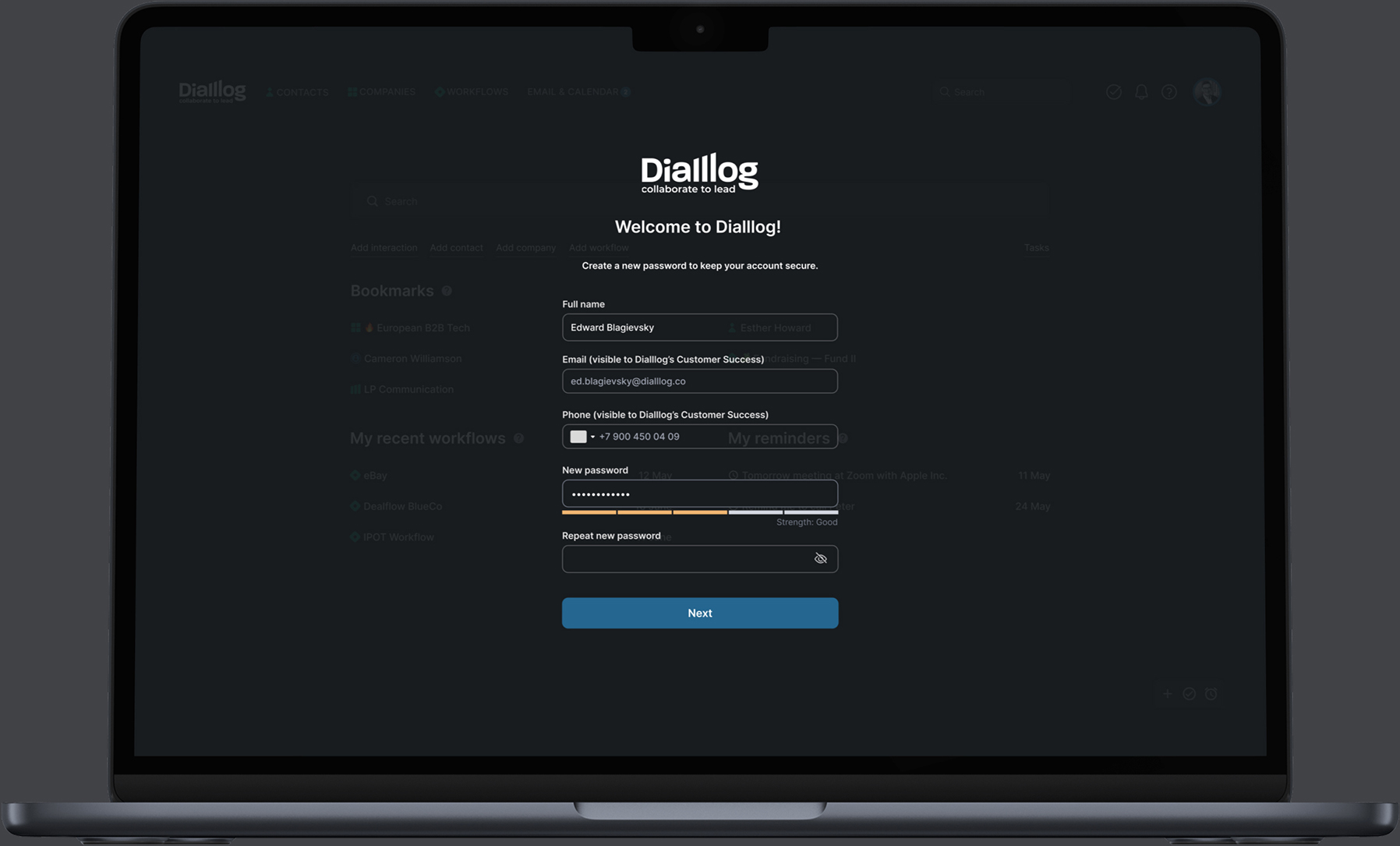
Dialllog CRM interface shown on a laptop
< Portfolio

Case Study: Building DialllogA Project-Centered CRM Platform

Dialllog.co — CRM for M&A, Private Equity and Venture Capital — built for dealmakers who want AI-ready dataDialllog.co — CRM for M&A, Private Equity and Venture Capital — built for dealmakers who want AI-ready dataDialllog.co — CRM for M&A, Private Equity and Venture Capital — built for dealmakers who want AI-ready dataDialllog.co — CRM for M&A, Private Equity and Venture Capital — built for dealmakers who want AI-ready data
Dialllog welcome screen on a laptop

All-in-one Venture Capital ecosystem management CRM

What is Dialllog.co?

Dialllog is the first project-based Venture Capital CRM software designed specifically for VC funds to manage their entire investment cycle. No more endless Excel spreadsheets, docs, notes and emails. Dialllog brings all the sporadic information into one VC software to create data-driven workflows.

Innovative CRM Features

Create and manage project workflows with customizable templates, store sensitive information, notes, milestones, to-dos, activities, and files. Search and analyze activity across the fund, portfolio, deals, and contacts without jumping between disconnected tools.

My Design Innovations & Feature Integrations

As Lead Designer, I worked across product architecture, UX logic, interface systems, and feature design. The work ranged from a navigation model inspired by Massimo Vignelli's NYC subway map to task management, email and calendar integration, contact merging, AI tools, and email sequencing.
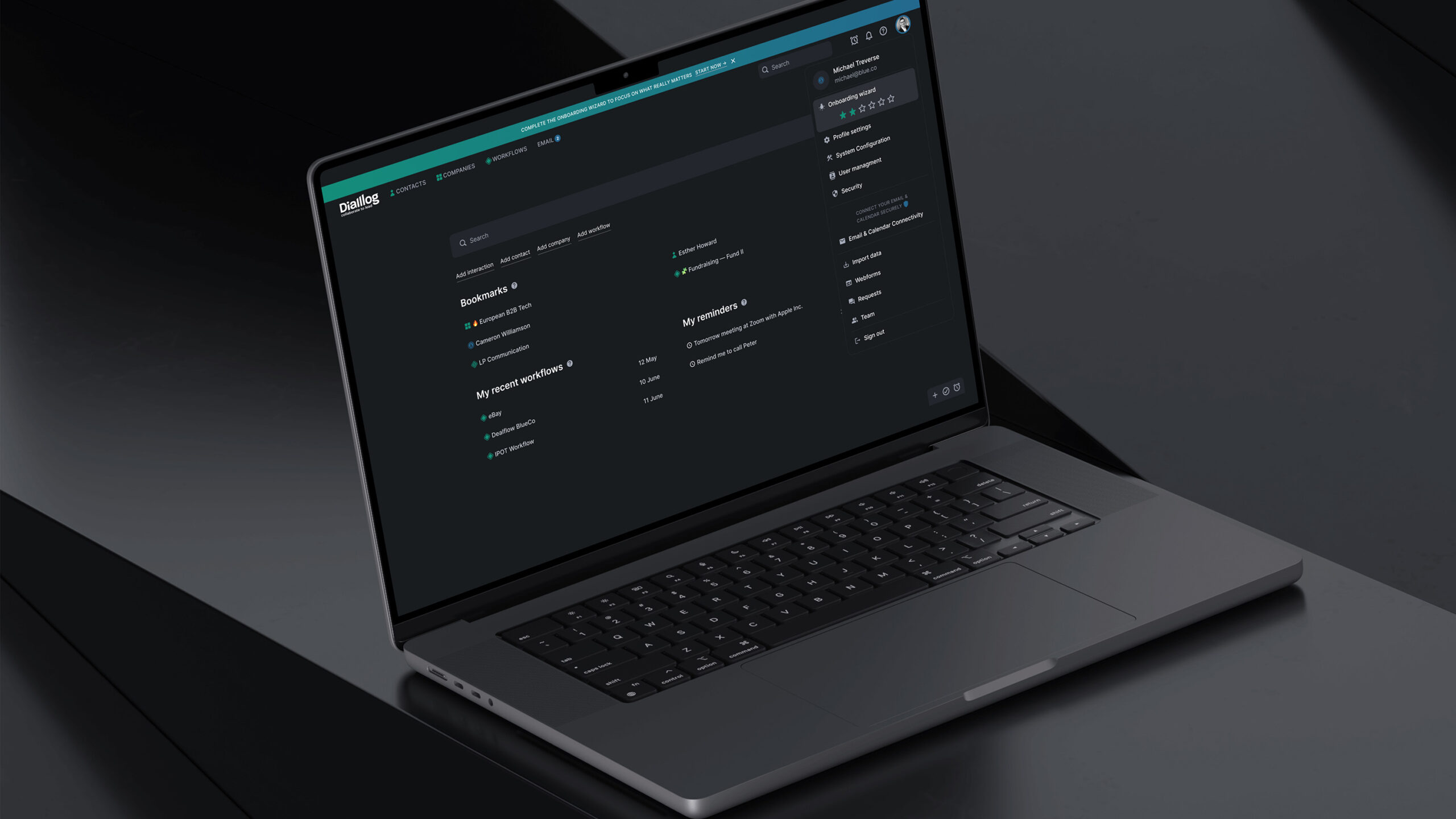

Brief description of the system functionality

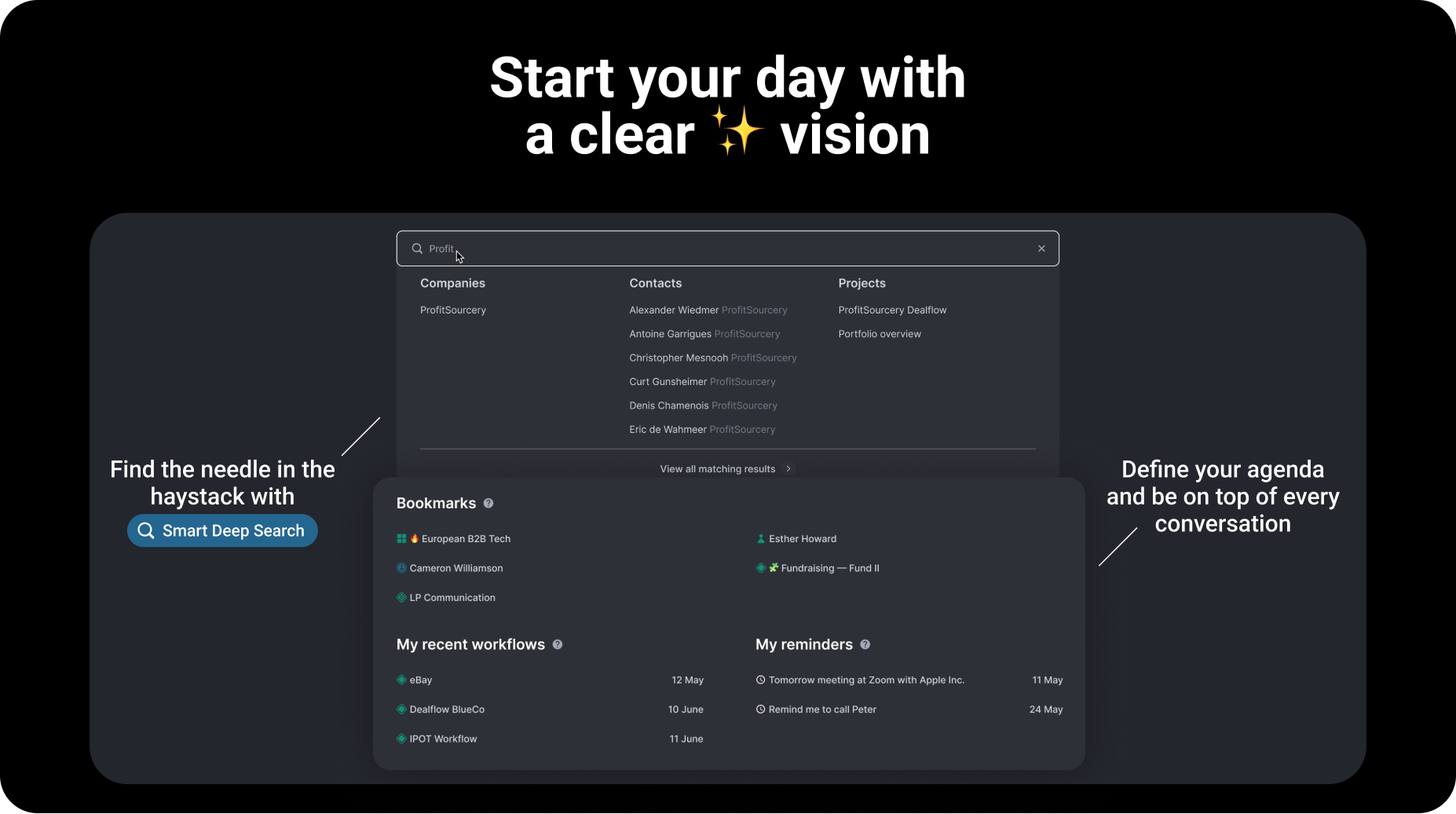
Dialllog dashboard start-of-day interface

Start your day with a clear vision

The main page gives an immediate view of what matters today: projects, contacts, dialogues, tasks, meetings, and updates grouped into a focused working surface.

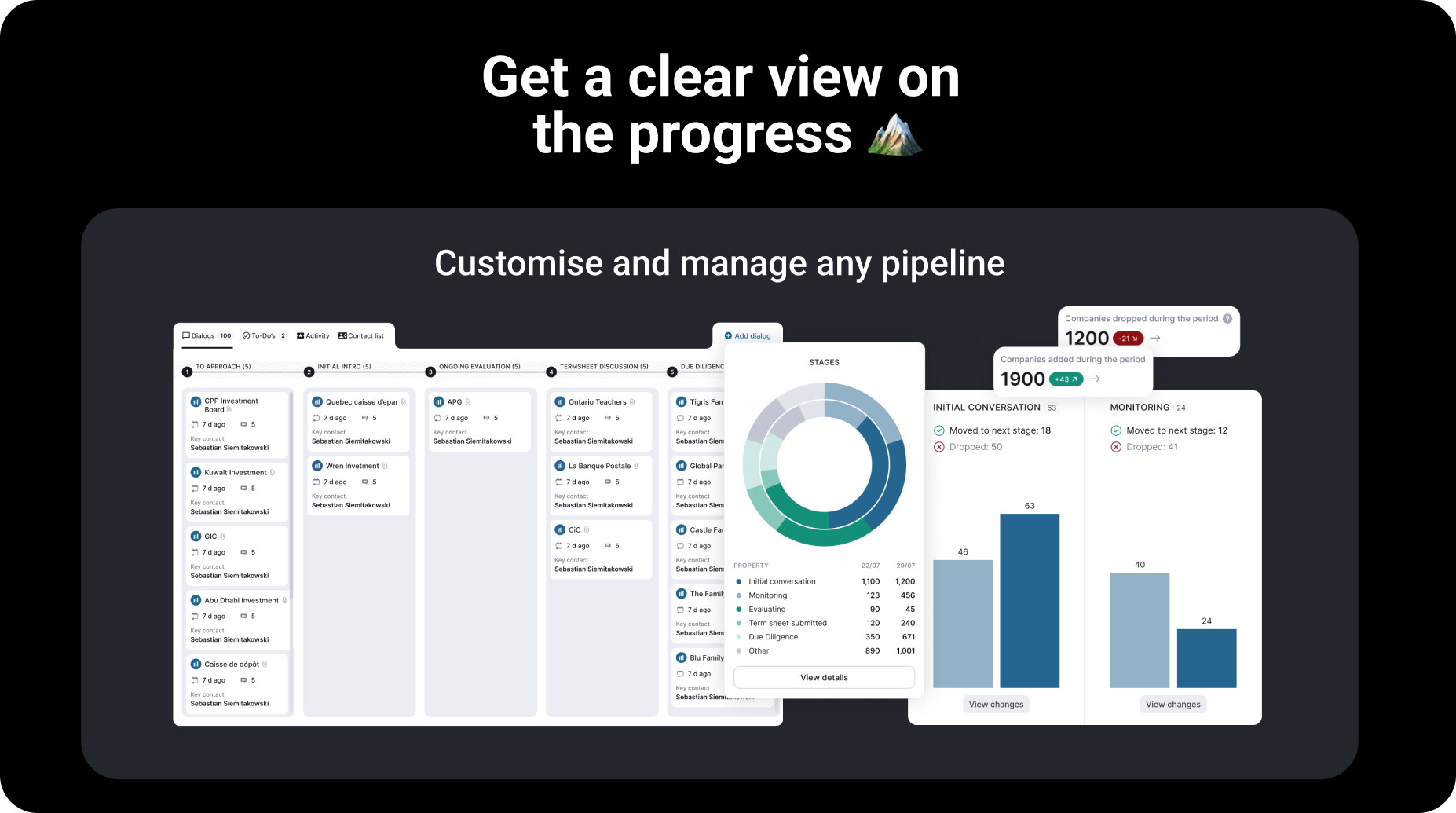
Dialllog progress and workflow overview

Get a clear view on the progress

Kanban views, analytics, and project-level information help teams understand where every opportunity stands and what needs attention next.

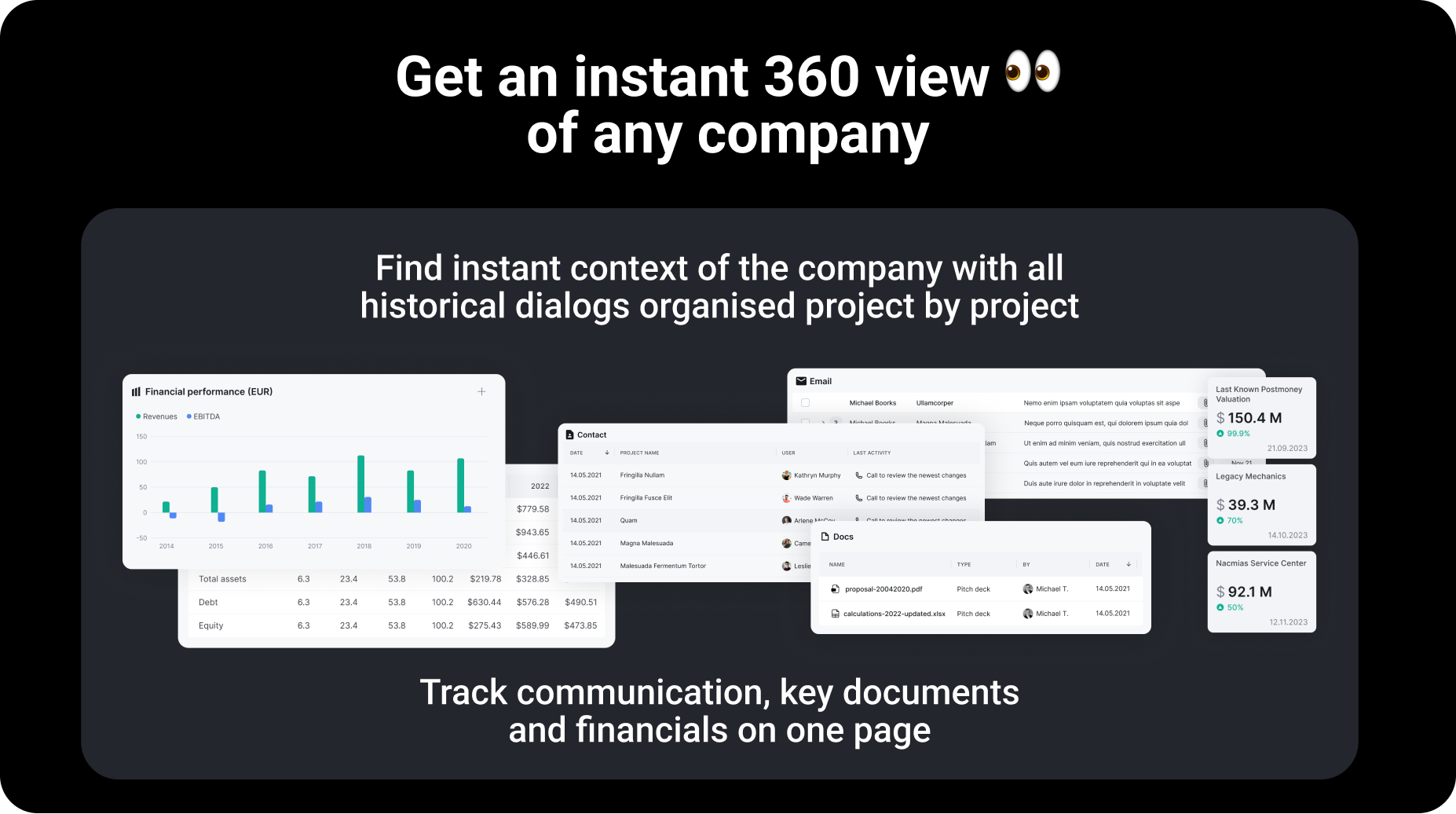
Dialllog company profile interface

Get an instant 360 view of any company

Company profiles bring together structured data, relationships, activity, notes, and portfolio context so the team can move with a complete picture.

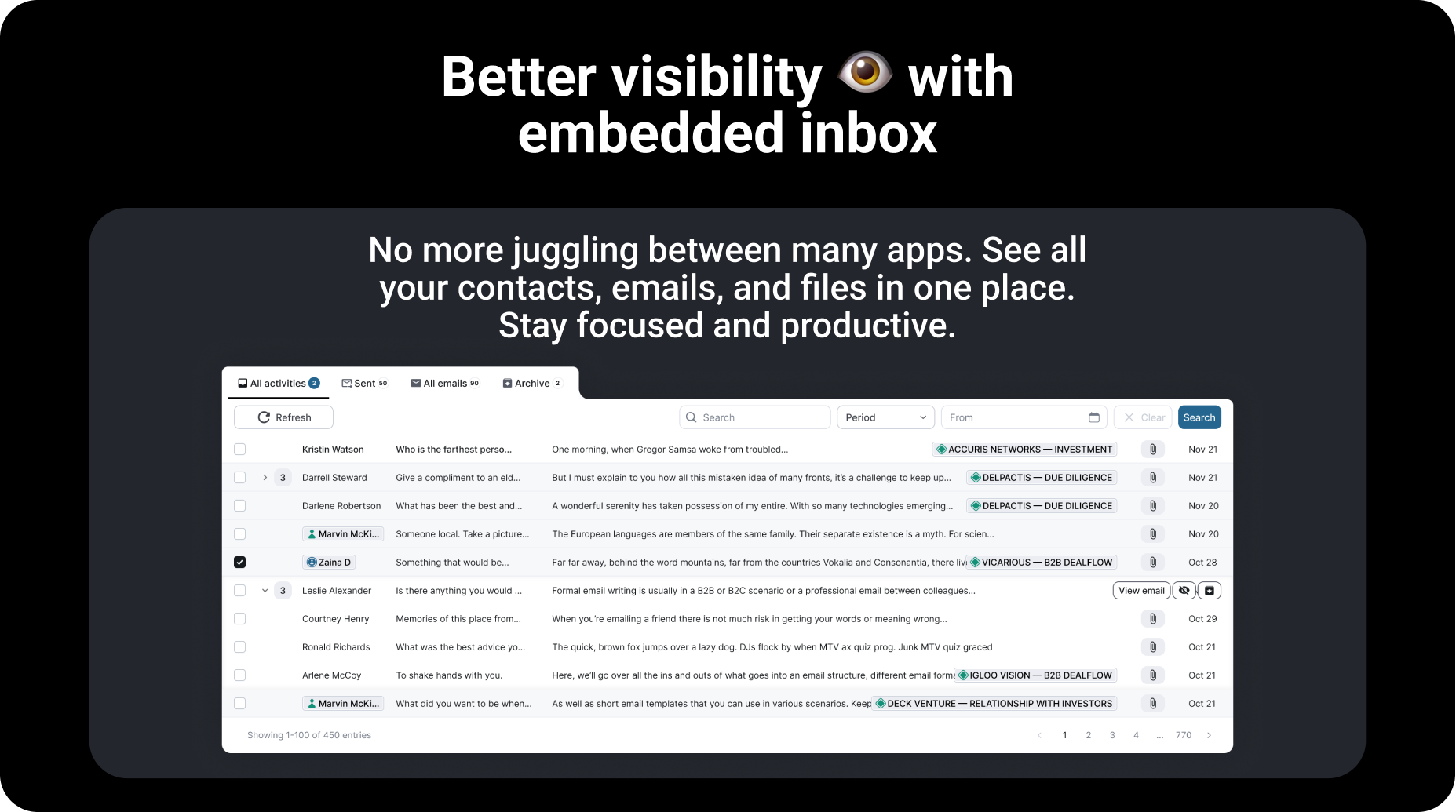
Dialllog embedded inbox and project communication

Better visibility with embedded inbox

Email integration keeps communication connected to the right project, contact, and company context instead of scattering important signals across inboxes.

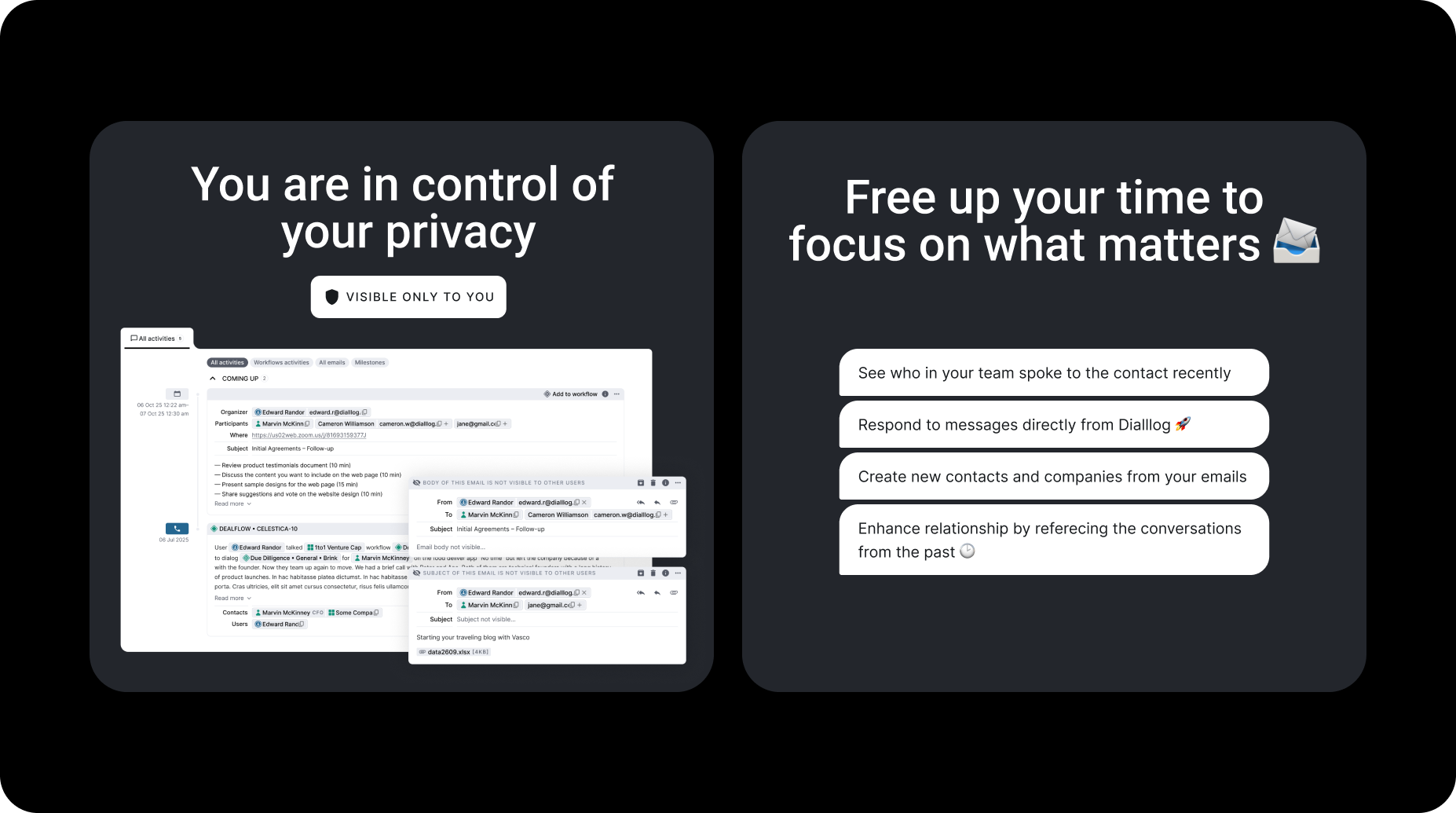
Dialllog privacy controls and response workflow

Privacy controls and faster replies

The interface keeps privacy controls visible while helping teams respond faster to the relationships and requests that move investment work forward.

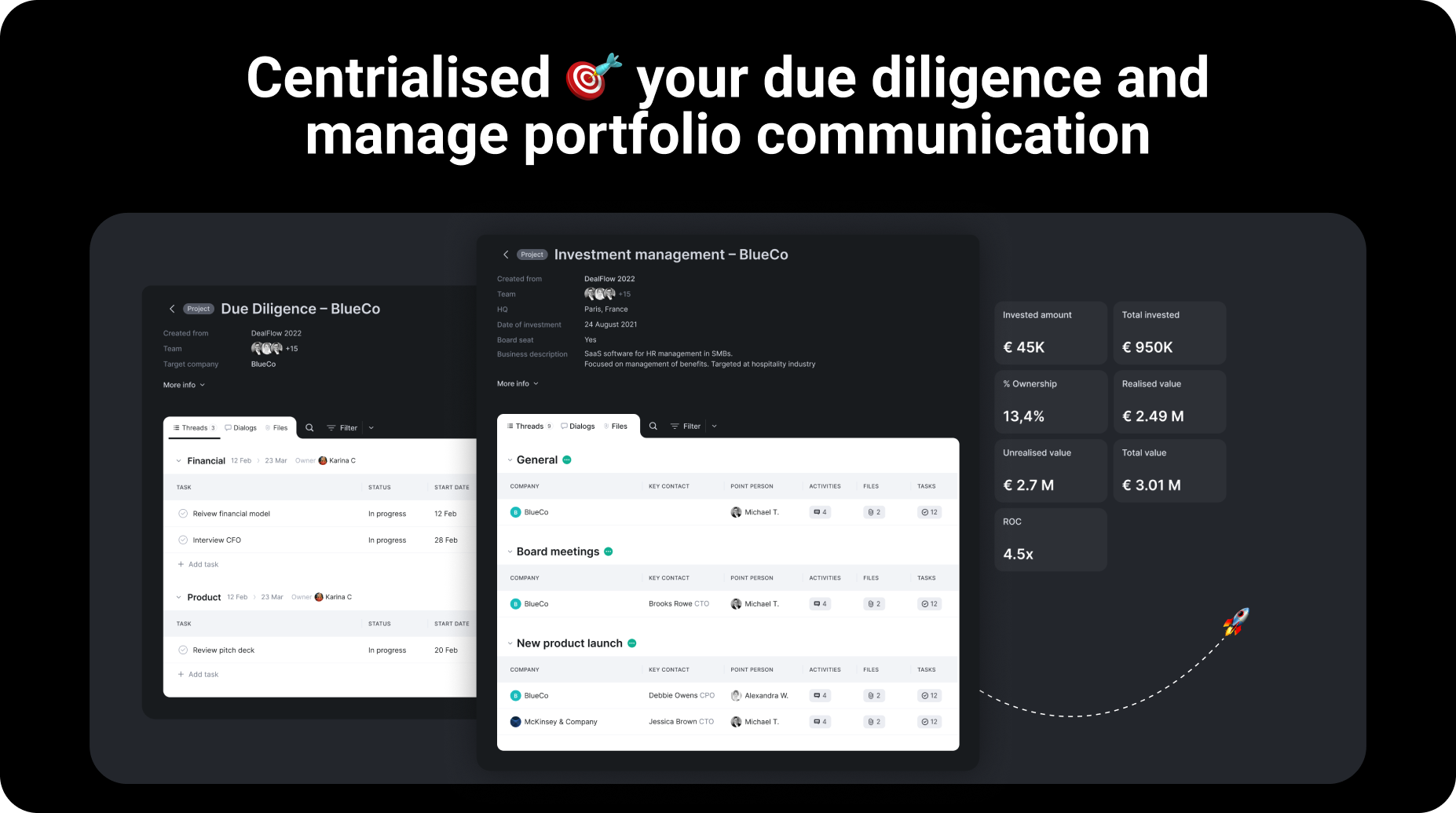
Dialllog due diligence and portfolio communication interface

Centralised due diligence and portfolio communication

Due diligence and portfolio communication live in one connected environment, reducing context switching and keeping investment teams aligned.

Unique adapted navigation system

Dialllog navigation system elements

Finally, enjoy clear and intuitive navigation

A project-centered navigation model helps teams move through funds, companies, contacts, dialogues, and tasks without losing orientation.

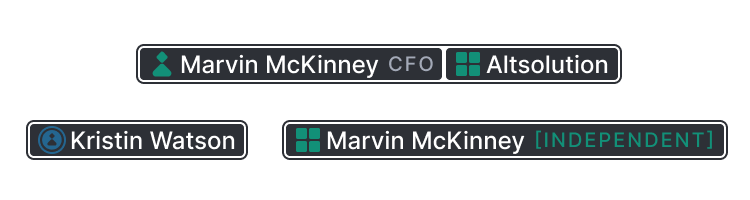
Dialllog chip interface elements

Chips used everywhere are now clear

Repeated metadata chips were standardized so status, ownership, activity, and relationships stay readable across dense enterprise screens.

Dialllog icon relationship system

Relationships between icons

Icon relationships and UI states were clarified so users can understand connections without relying on extra explanations.

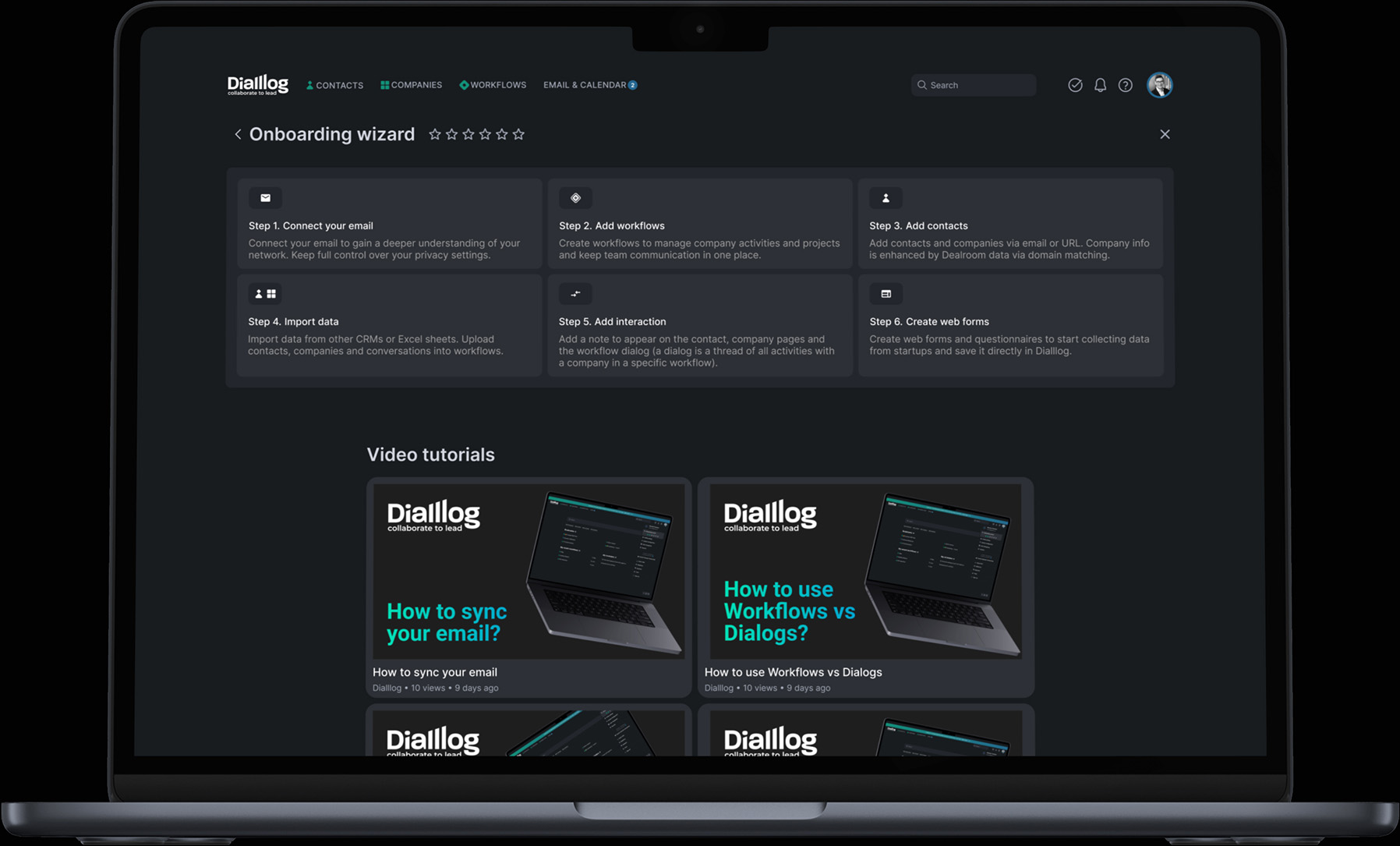
Creating a clear step-by-step onboarding wizard

Dialllog onboarding wizard first step

Step 1: Introducing Core Functionality

The onboarding flow introduces the core CRM concepts progressively, helping new users understand the project-based model without overwhelming them.

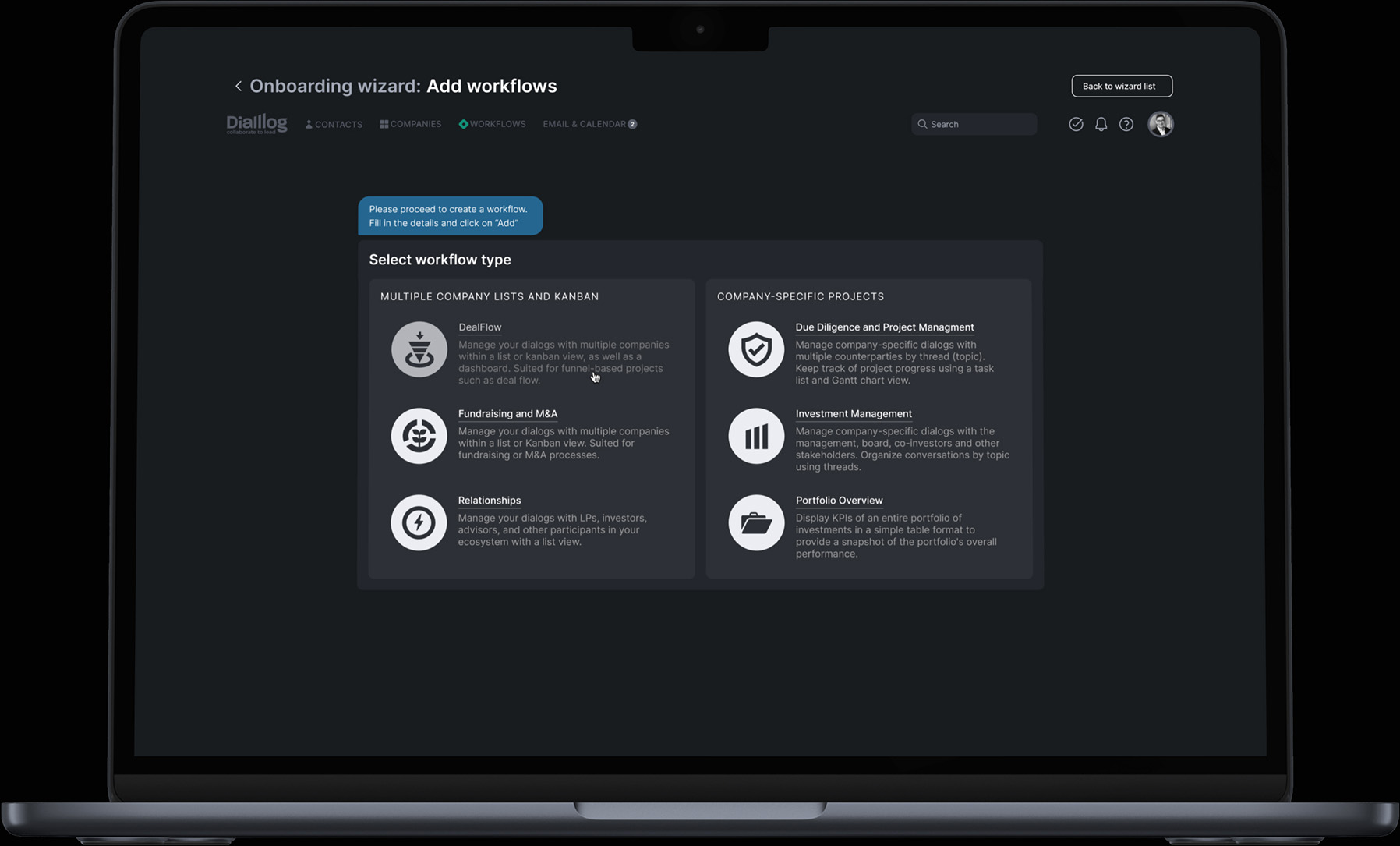
Dialllog onboarding wizard contextual tips

Step 2: Contextual Tips Along the Way

Contextual guidance appears close to the interface patterns it explains, making the product easier to adopt while keeping the workspace clean.

Additional Productivity Tools: Calendar and Task Management Solutions

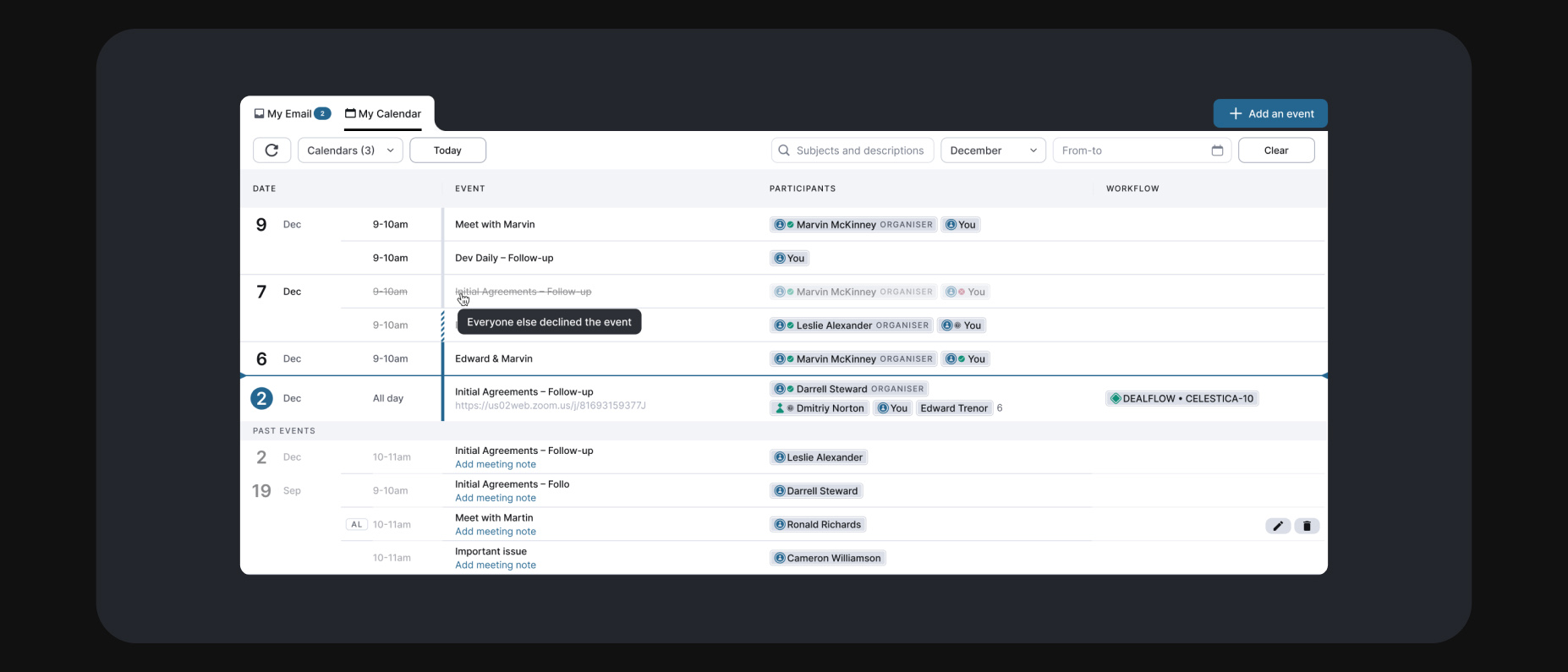
Dialllog calendar and email integration

Calendar and email integration

Calendar and email integrations keep external communication connected to the investment workflow and reduce manual copy-paste between systems.

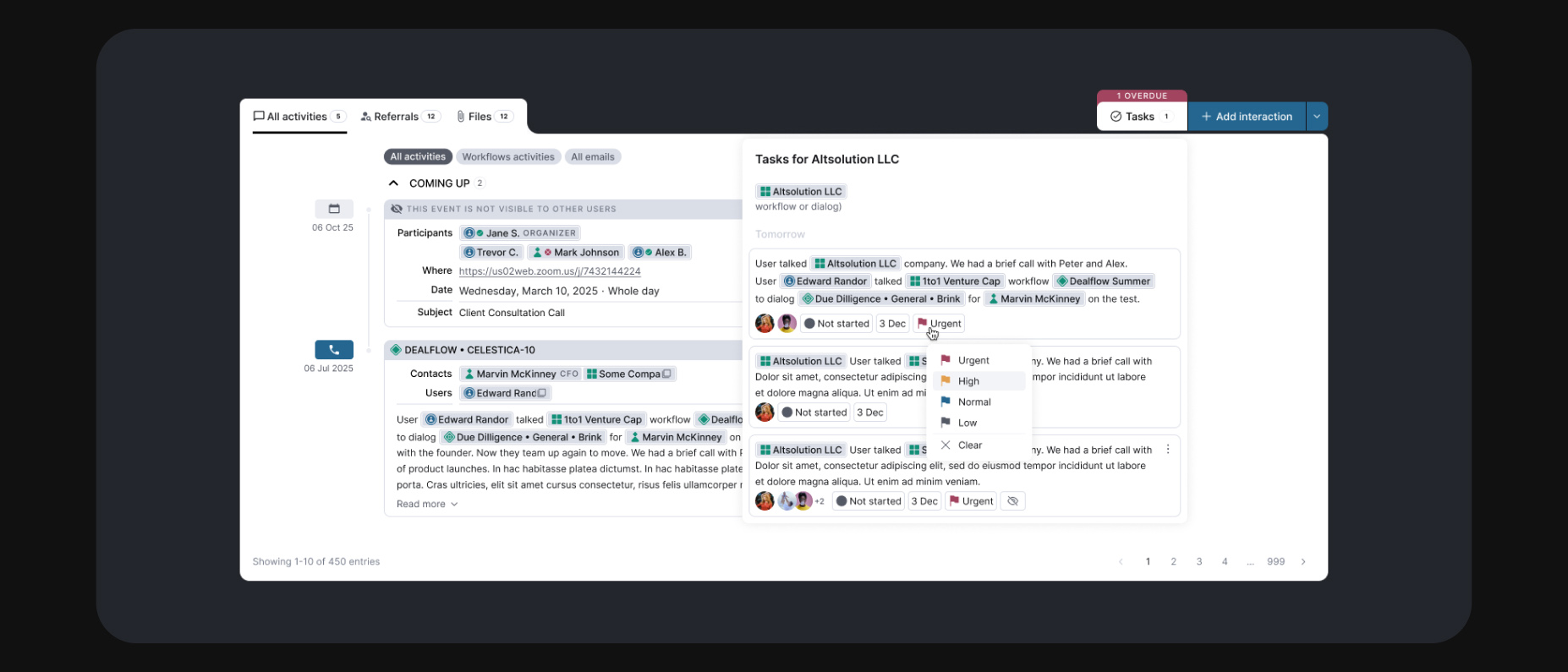
Dialllog task manager interface

Task management for investment teams

Task management is shaped around deal flow and portfolio work, with responsibilities, deadlines, and updates visible inside the product context.

Reflection

Research & UX Concepts

The project combined research, workflow modeling, interface architecture, and iterative product decisions. The main design challenge was making complex investment operations feel structured, searchable, and calm.

User Feedback

The strongest validation came from users recognizing that scattered information could finally become a connected working system. The product direction benefited from real feedback loops and day-to-day operational needs.

Company & Context

Dialllog sits in the venture capital software space, where clarity, trust, and reliable data handling matter as much as interface polish. The design system had to support both confidence and speed.

More information can be found on the project website: Dialllog.co